Skip to content
Thai Embassy Document Request · Rule

How To Respond to a Thai Embassy Document Request

Received a Thai embassy document request for your DTV? Learn how to respond to a Thai embassy document request correctly — exact steps to answer every item and avoid a rejection.

DTVDTVThaiVisa 11 min read

If you’ve just received a “Request for Further Document” email from the Royal Thai Embassy / Consulate-General, your DTV application isn’t refused — but it’s on hold. The embassy needs exact, specific documents. This page will show you how to respond to a Thai embassy document request line by line, so you can answer precisely, get your status moving, and avoid common traps that lead to rejection.

Applicant reading a 'Request for Further Document' email from the Thai embassy on a laptop, concerned but focused.

What the embassy asked

The embassy uses a standardised notice to flag what’s missing or unclear. It will list specific clusters — often “Financial evidence”, “Other request documents”, and so on — and expects you to address every single item without adding anything extra.

“the Royal Thai Embassy/ The Royal Thai Consulate-General would like to request for additional documents as follows:”

Why the embassy asks for this

The embassy uses the “Request for Further Document” notice when your initial application is incomplete or a document doesn’t meet the exact specification. They aren’t allowed to guess or fill in gaps—every missing piece must be provided as asked. Submitting unrequested extras can create new doubts and actually slow down or even derail your case.

How to provide it correctly

  1. Read the entire email carefully and write down every separate item the embassy lists — include cluster headings like “Financial evidence” and every bullet point underneath.
  2. For each requested item, gather EXACTLY what is described. If it says “bank statement for the last 6 months”, provide 6 months, not 12. If it says “English”, get a certified translation.
  3. Match every specification: the date range, the currency, the heading, the file format. Do not add a cover letter, CV, or extra payslip unless it is explicitly asked for.
  4. Upload all documents through the official e‑visa portal. Name each file clearly so the officer can match it to the request line (e.g., “Bank_Statement_6months.pdf”).
  5. Do not leave any requested item blank. A missing item keeps your status on “Request Document” and the review does not move forward.
  6. Once you submit, your status will change to “Pending Document Check”. The office only resumes its review once every requested item has been received.
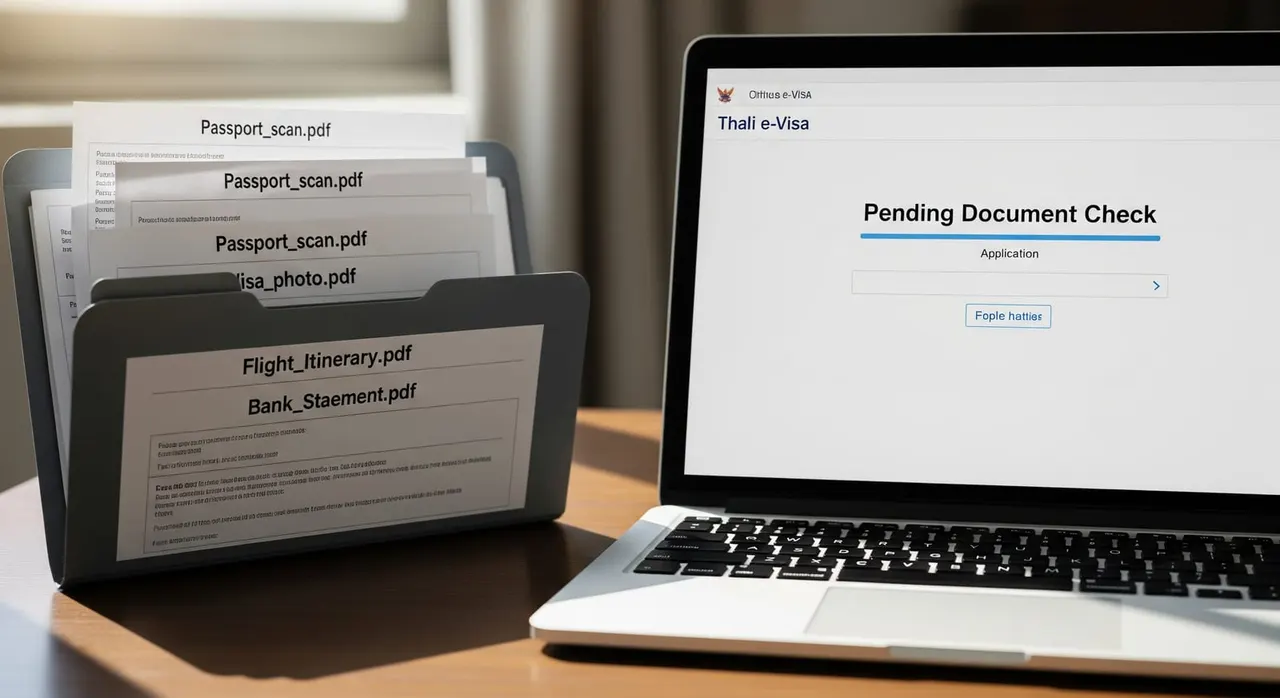
A laptop screen showing the Thai e‑visa portal with a 'Pending Document Check' status and a neatly organised folder of requested document PDFs.

Common mistakes that cause rejection

  • Sending a 12‑month bank statement when the request says 6 months.
  • Attaching a cover letter or CV when only a bank statement was asked for.
  • Skipping a document because you thought the cluster heading was optional.
  • Submitting a Thai‑language document without a certified English translation.
  • Emailing documents to an individual officer instead of using the e‑visa portal.
  • Sitting on the request and missing the deadline stated in your email — leave it too long and your application may be treated as abandoned.
  • Using generic file names like “Document.pdf” instead of labels that match the request.

Frequently asked questions

What happens after I submit my response to the “Request for Further Document” email?

Your e‑visa status will change from “Request Document” to “Pending Document Check” once the embassy’s system confirms receipt of all documents. The office then resumes its review; how long that takes varies by office, and the email you received is the only reliable guide to any deadline.

Can I send a 12‑month bank statement if the embassy only asked for 6 months?

No. The embassy expects exactly what it requested. Providing extra months is a common reason for a re‑request. Send only the 6‑month statement.

Is there a deadline to respond?

Check your request email — if it states a deadline, treat that as firm and reply before it. Where no date is given, respond as promptly as you can; leaving a request unanswered for a long time risks your application being treated as abandoned.

Can I email the documents instead of using the e‑visa portal?

Only if the embassy explicitly instructs you to email. Otherwise, always upload through the official e‑visa portal with your existing login details.

If only one of my requested documents is rejected, must I resubmit everything?

No. Resubmit only the corrected document. Upload it clearly labeled so the officer can quickly find and verify it.

What if I accidentally skip one item in the request?

Your application will remain in “Request Document” status. The office cannot resume its review until every requested item is received, so provide the missing document promptly.

Do I need a certified translation for documents that are not in English or Thai?

Yes. If the request specifies English, any document originally in another language must be accompanied by a certified English translation. Unofficial translations are not accepted.

Get this document right the first time

Let our team prepare and check your response to the embassy — apply from $139, with a 100% refund if denied (with the optional Denial Protection add-on).

Start your application

General guidance only — not legal advice. Thai embassy requirements vary by office and change over time; always confirm the exact wording in your own request email, or let our team check it for you.

Related document requests