
Skip to content
Thai Embassy Document Request · Identity & Location

China NIA Entry-Exit Record for the DTV

Struggling with the dtv china nia entry exit record for your Thailand DTV? Get the exact steps to download the official NIA PDF, avoid rejection, and comply with the request.

DTVDTVThaiVisa 13 min read

If you’ve been asked for your China NIA entry-exit record for Thailand’s Destination Thailand Visa (DTV), this page will show you exactly what to do. The embassy wants your official movement history from the National Immigration Administration, current as of your application date. Get it wrong and you risk rejection — so let’s walk through the correct response step by step.

An applicant in China using a smartphone to access the NIA mini-program while reviewing a DTV request email on a laptop.

What the embassy asked

The embassy's request for further document will name the NIA entry-exit record specifically. It's a targeted verification of your travel history and current location.

“Chinese applicant residing in Mainland China is required to submit an Entry-Exit record, issued by the National Immigration Administration of the People's Republic of China, indicating the applicant's travel record in the past 1 year. The record can be downloaded at https://s.nia.gov.cn/mps/login.html: Kindly provide the latest NIA entry and exit records as of the application date.”

Why the embassy asks for this

The DTV e-Visa reviewer uses the NIA record to independently confirm where you’ve been over the past year. It proves you are genuinely outside Thailand at the time of application, not a border-runner trying to convert a tourist pattern into a long-stay visa. Because the process is online and the officer cannot inspect your passport in person, the official NIA electronic record—bearing its electronic seal and QR code—provides tamper-evident, authoritative proof. The instruction to stay inside China until approval then lets the reviewer trust that your verified location remains valid when the decision is made.

How to provide it correctly

  1. Open the official NIA self-service channel: the ‘移民局12367’ app (Android), the ‘National Immigration Administration’ mini-program in WeChat or Alipay (iPhone), or the web portal at s.nia.gov.cn. Never use a third-party site.
  2. Complete real-name authentication with your Chinese resident ID and travel document, then select the entry-exit record query (出入境记录查询) and choose your passport so the record covers international movements.
  3. Set the date range to at least the past 12 months and generate it on the same day, or within a day or two of submission, to meet the ‘as of the application date’ requirement.
  4. Download the official electronic file (电子文件) as a PDF; verify it includes the NIA electronic seal and the verification QR code.
  5. Check that your full name, passport number, and every entry-exit line are clearly visible and that the record spans the full past year up to the current date. If any qualifying trips are missing, regenerate instead of submitting a partial pull.
  6. If the app cannot return what you need, apply in person at a city-level or higher public security exit-entry department for a stamped 《出入境记录查询结果》.
  7. Upload only this NIA entry-exit record in response to the request — nothing extra — and keep it in its native bilingual Chinese/English format; no separate translation is normally needed.
  8. Stay physically inside mainland China from submission until you receive approval, as leaving may affect the visa review.
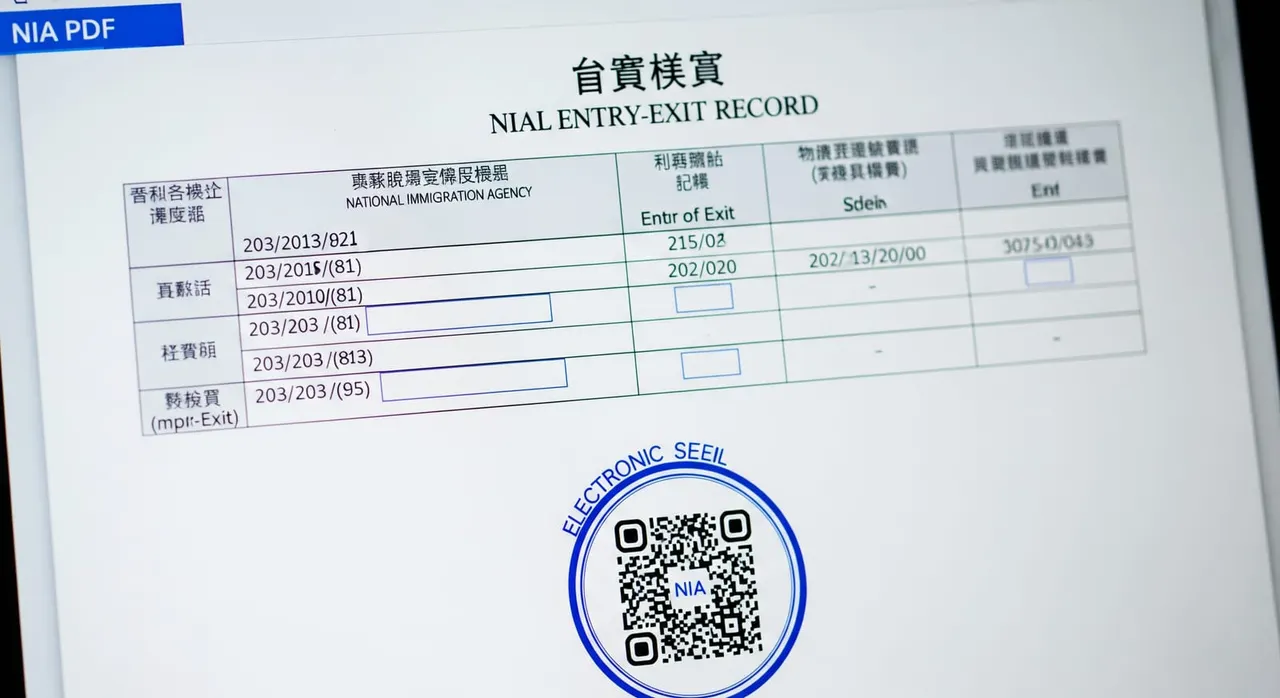
A close-up of an official NIA entry-exit record PDF on a screen, showing the bilingual table of dates, ports, and the electronic seal with QR code.

Common mistakes that cause rejection

  • Generating the NIA record too early – a report that doesn’t reach the application date will be rejected as non-responsive.
  • Choosing the wrong document type in the app – selecting the Hong Kong/Macau or Taiwan permit history instead of the passport’s international entry-exit record.
  • Sending a screenshot or a phone photo of the app screen instead of the official downloadable PDF with seal and QR code.
  • Booking a trip out of China while the DTV is pending, ignoring the explicit instruction to remain inside the country until approved.
  • Submitting extra unrequested documents alongside the NIA record – attach only what was asked for.
  • Unnecessarily paying for a certified translation when the standard NIA electronic record is already bilingual Chinese/English.

Frequently asked questions

Where exactly do I download the NIA entry-exit record?

From an official NIA channel only — the ‘移民局12367’ app (Android), the National Immigration Administration mini-program in WeChat or Alipay (used by iPhone users), or the web portal at s.nia.gov.cn — after real-name authentication. The output is an electronic PDF carrying the NIA seal and a verification QR code with the same legal effect as a stamped copy.

How far back must the record go?

The embassy asks for your travel record for the past 1 year, generated up to the application date ('the latest NIA entry and exit records as of the application date'). The app can show up to 10 years, so simply set the range to cover at least the last 12 months and pull it the same day you submit.

Do I need to leave China to apply for the DTV?

No — the request says the opposite. Applicants residing in mainland China must remain inside China when applying and before the visa is approved, because leaving may affect the visa review. The DTV is applied for online through the central Thai e-Visa portal, so there is no need to travel for it; just don't leave China until you're approved.

Does the NIA record need to be translated into English?

Usually not — the official NIA electronic record is issued bilingually in Chinese and English, which satisfies the Thai/English language rule. If you somehow only have a Chinese-only version, you would need a certified and legalized English translation.

Can I just send a screenshot or a list of my trips instead?

No. Screenshots, phone photos, self-typed travel lists, or hotel/flight records do not satisfy a request that names the National Immigration Administration specifically. Download the genuine NIA electronic file (or get the sealed 《出入境记录查询结果》 in person) so the reviewer can verify its seal and QR code.

What happens if I get this wrong or have to re-apply?

Submit only the NIA record that was asked for, current as of your application date, and stay in China until approval — over-supplying or a stale/partial record invites another Request for Further Document. In our experience, since around May 2026, re-applying after a rejection has felt harder, so it's better to get the document right the first time; note that is our observation, not an official rule.

Get this document right the first time

Let our team prepare and check your response to the embassy — apply from $139, with a 100% refund if denied (with the optional Denial Protection add-on).

Start your application

General guidance only — not legal advice. Thai embassy requirements vary by office and change over time; always confirm the exact wording in your own request email, or let our team check it for you.

Related document requests