


Why Your DTV Bank Statement Was Rejected (Format & Pages)
DTV bank statement rejected? Meet the dtv bank statement format requirements: bank letterhead, all pages, daily transactions and a maintained balance, so it passes first time.

What the embassy asked
“Other request documents: All pages of Proper Personal Bank Saving Statement with bank letterhead, account holder name, deposit, withdrawal, daily transaction, and maintain balance at least 500,000 baht (approx. $15,000) for the month of 1-28 Feb 2026. Page 1 to ?”
Why the embassy asks for this
How to provide it correctly
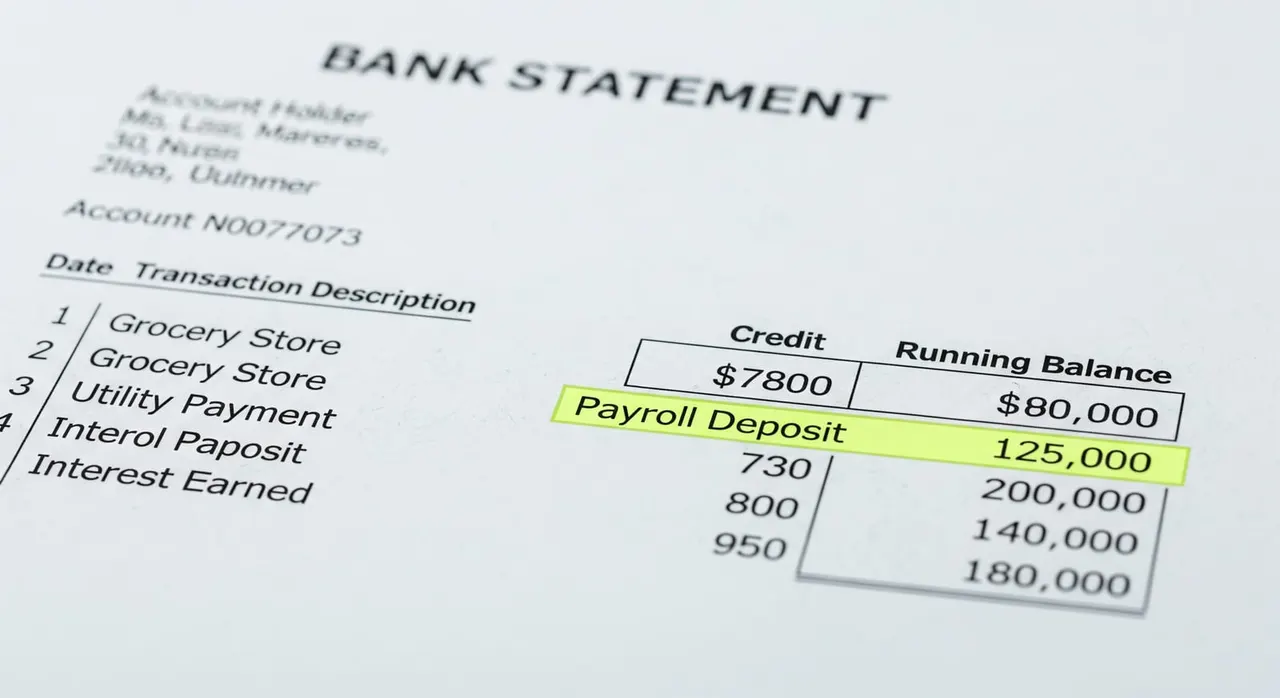
Obtain a full statement directly from your bank covering the requested month (e.g., Feb 1–28, Mar 1–31) in English language; do not use screenshots, mobile apps, or incomplete exports. Verify the statement includes the bank's official letterhead with the bank name and contact details clearly visible at the top of the first page. Check that your full account holder name appears on the statement exactly as it appears on your passport and application. Confirm the statement shows ALL pages from beginning to end (denoted 'Page 1 to ?' in embassy language)—if the month spans multiple pages, submit each page in order without skipping any. Ensure every daily transaction for the requested month is listed (deposits, withdrawals, transfers) alongside the running balance after each transaction so the 500,000 THB threshold is transparent throughout the month. Highlight or otherwise clearly mark any salary deposits or income transfers in the statement to link them to your salary slips or proof-of-income documents. Confirm the closing balance for the requested month is at least 500,000 THB; if your balance drops below this figure on any day, the statement will be rejected. Submit the complete statement as a single PDF file in the order issued by the bank, preserving all formatting and details.
Common mistakes that cause rejection
Submitting only the first page—the embassy’s 'Page 1 to ?' means ALL pages must be included. Using a mobile app screenshot that lacks official bank letterhead. Providing a statement with a name different from your passport (e.g., preferred name, maiden name). Forgetting to highlight or mark salary deposits, making it hard for the officer to match income proof. Allowing the balance to dip below 500,000 THB on any day and submitting anyway—this is an automatic rejection. Providing a statement in a foreign language without a certified bank translation. Submitting a partial transaction list (e.g., last 10 transactions) instead of the full daily history for the month.
Frequently asked questions
Does the statement need to be for the exact month mentioned in the embassy request?
What if my bank statement is 5 pages long?
Can I use a screenshot from my banking app?
My balance dropped below 500,000 THB on one day. What can I do?
Do I really need to highlight my salary deposits?
My bank issues statements only in my home country’s language. Can I translate it myself?
Is a joint account acceptable?
Get this document right the first time
Let our team prepare and check your response to the embassy — apply from $139, with a 100% refund if denied (with the optional Denial Protection add-on).