



Australia VEVO Visa-Status Proof for the DTV
Need help with your dtv australia vevo check? Our guide shows exactly how to give the Thai embassy your VEVO record correctly, avoid rejection, and keep your DTV on track.

What the embassy asked
“Please provide VEVO (Visa Entitlement Verification Online). You can check your VEVO following this link: https://online.immi.gov.au/evo/firstParty?actionType=query”
Why the embassy asks for this
How to provide it correctly
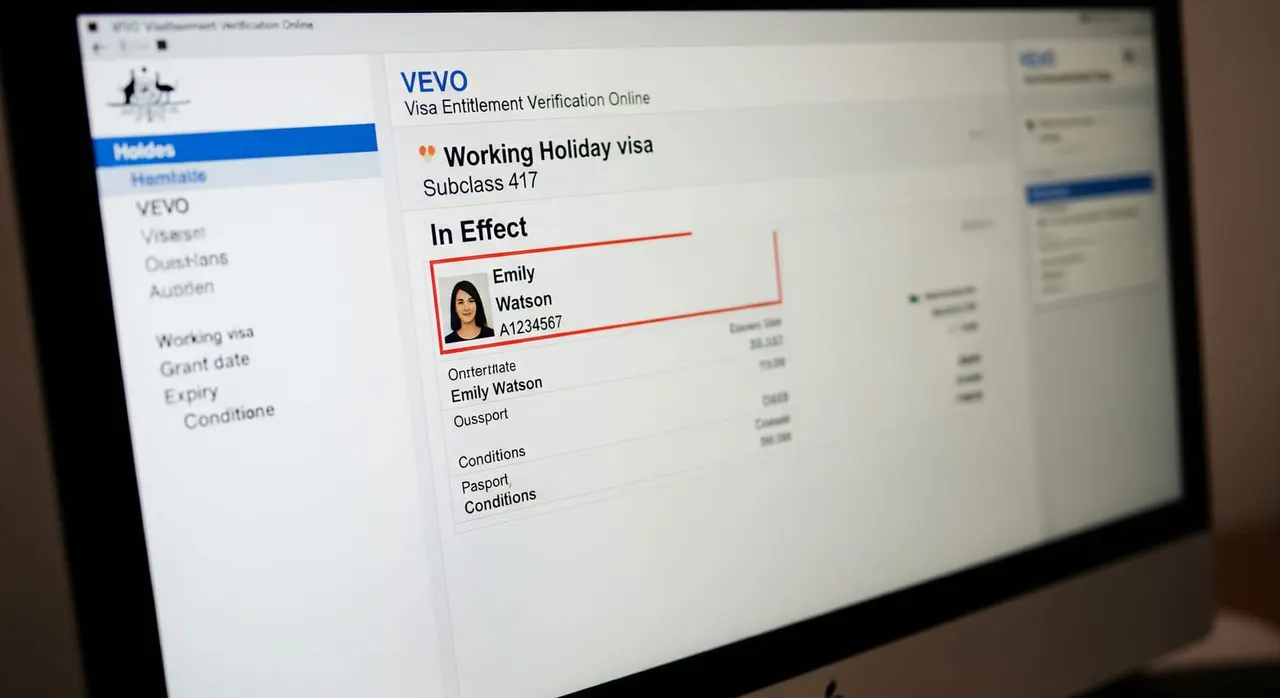
Identify exactly what the embassy’s email asks for—either a VEVO record or your Australian visa that allows you to travel. Provide only those documents; do not add bank statements, contracts or anything not requested. Gather your reference details: your 13-digit Visa Grant Number (from your visa grant notification PDF) or your Transaction Reference Number (TRN), plus your passport number, passport country of issue, and date of birth exactly as they appear in your passport. Go to the Department of Home Affairs ‘Visa holder enquiry’ at online.immi.gov.au or open the free myVEVO app. Create a PIN if required, select your reference type, enter the details, accept the terms, and submit. Check that VEVO shows an in-effect visa. The system only returns records for visas that are currently valid, so confirm the visa class, status (must be ‘In Effect’), expiry date, and any travel or work conditions match your passport and DTV application details. Generate a clean, official copy. Use the ‘Email visa details’ or ‘Create Email’ function in myVEVO to send the timestamped PDF to your inbox. Alternatively, take a full, unedited screenshot of the entire VEVO results screen showing your name, subclass, status and expiry. If the email also asked for ‘the Australian visa that allows you to travel’, attach your visa grant notification letter—the PDF the Department of Home Affairs emailed you when your visa was granted—as a second proof alongside the VEVO record. Ensure the document is in English (it already is) and in PDF or a clear image format. Rename the file simply, such as ‘VEVO_record.pdf’, and keep the file size reasonable for the upload portal. Reply through the same e-Visa portal thread or email where you received the request. Attach only the VEVO PDF and grant letter (if requested), and send nothing else before the stated deadline.
Common mistakes that cause rejection
Assuming a passport entry stamp or hotel booking is enough—Australia issues no visa labels in the passport, so only a VEVO record or grant letter proves your legal status. Checking VEVO after your Australian visa has already expired; the record must be in-effect at the time of review, so verify before you submit. Using the wrong reference number—mistyping the application TRN when the system requires the 13-digit Visa Grant Number, or vice versa—which yields a ‘no records found’ message. Submitting a cropped screenshot that hides your name, visa class or status, making it impossible for the officer to verify the record is genuinely yours and in-effect. Over-delivering by attaching bank statements, an employment contract or insurance along with the VEVO. Only the specifically requested document was needed—adding extras slows the process. Treating the embassy as the decision-maker and re-emailing multiple times; the DTV is processed through the central e-Visa portal, so reply once through the same thread with the correct file and wait.
Myth
I must get a visa sticker from Immigration to prove my status.
Fact
Frequently asked questions
I’m a non-Australian on a Working Holiday visa—why does the Thai embassy want my VEVO?
How do I actually get my VEVO record?
Can I send a passport entry stamp or my hotel booking instead?
My Australian visa expires soon—is that a problem?
They asked for VEVO and ‘the visa that allows me to travel’—are those two different things?
What happens if I don’t respond or my VEVO shows no valid visa?

Get this document right the first time
Let our team prepare and check your response to the embassy — apply from $139, with a 100% refund if denied (with the optional Denial Protection add-on).